# Bunny.net CDN (Pull Zone)
## Stage 1: Setup Pull Zone
### 1) Add new pull zone in Bunny.net
### 2) Create a unique name for the pullzone
Example: `mastodoninstancestatic` or similar.
### 3) Select `Origin Type URL`
### 4) Update **Origin URL**
Place the original FQDN of your instance in the Original URL.
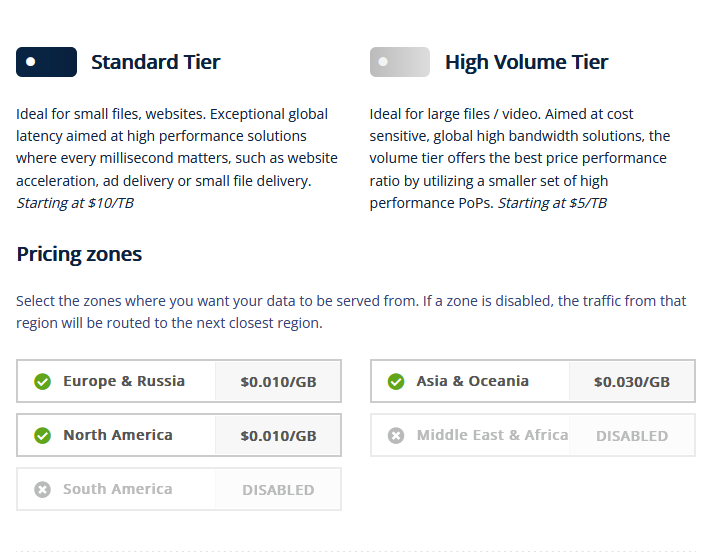
### 5) Select your regions to replicate data
### 6) Add new Pull zone
## Stage 2: Configure Pull Zone.
### 1) Force SSL
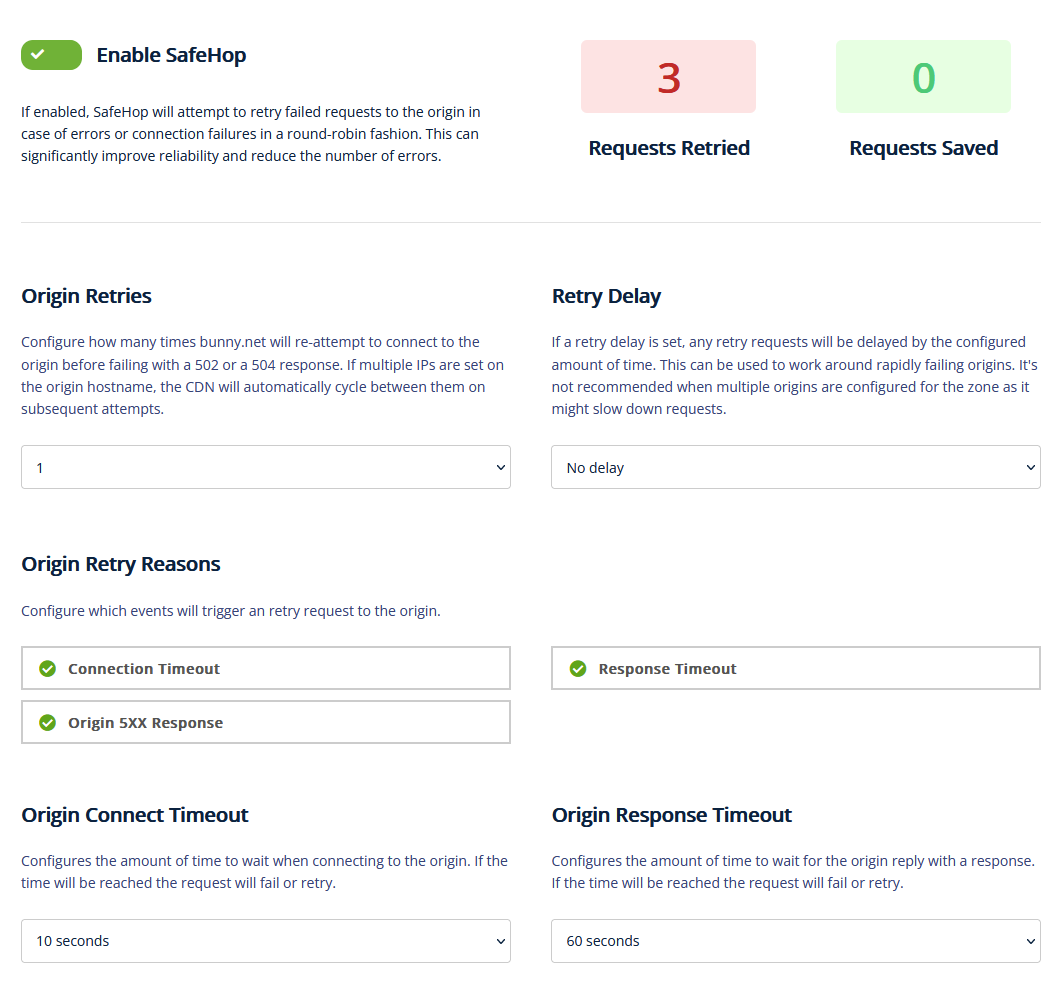
### 2) Setup SafeHop (retries on failures)
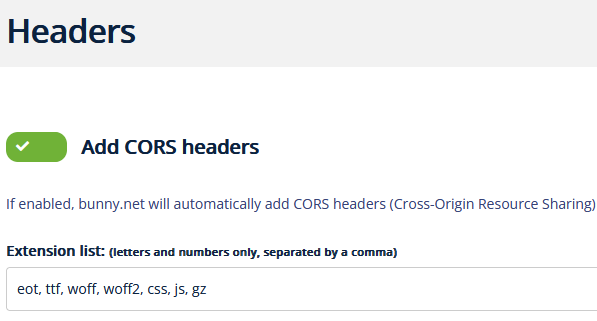
### 3) Add additional Headers (CORS)
Add \`,js, gz\` to the Extension list.
Example: \`eot, ttf, woff, woff2, css, js, gz\`
## Stage 3: Configure Mastodon and NGINX
### 1) NGINX Headers
Add **`Access-Control-Allow-Origin`** header to nginx all locations.\
Example: `add_header Access-Control-Allow-Origin "https://aussocialstatic.b-cdn.net";`
These paths are heavily used for static files... but the header might be required in multiple locations in the nginx conf
### 2) Mastodon .env
Add `CDN_HOST` to .env.production
Example: `CDN_HOST=https://aussocialstatic.b-cdn.net`
### 3) Reload nginx and restart mastodon.
## Troubleshooting
The OCR (Optical character recognition) might fail if you missed gz from the extension list.
## Notes
Do we need to add to svg to the CORs?